

Why Most Local Businesses Are Invisible on Google (And How to Fix It)
To optimize your Google Business Profile is one of the highest-ROI moves a local business can make in 2026 — and it costs nothing but time.
Here’s a quick answer if you’re in a hurry:
How to optimize your Google Business Profile (quick overview):
- Claim and verify your profile at business.google.com
- Choose the right primary category — this is the single most important ranking signal
- Fill every field completely — business name, address, phone, hours, description (up to 750 characters)
- Add 100+ high-quality photos — profiles with 100+ photos get 520% more calls
- Collect recent reviews consistently — recency now outweighs volume in Google’s 2026 algorithm
- Post weekly updates — going 30 days without activity causes a measurable drop in impressions
- Keep your website NAP consistent with your profile data
- Add services, attributes, and Q&As to cover more search queries
Picture two plumbers serving the same neighborhood. Same experience, similar pricing, equally good work. One shows up at the top of Google Maps every time someone nearby searches “plumber near me.” The other is invisible. The difference almost always comes down to one thing: how well their Google Business Profile is set up and maintained.
Google’s local algorithm has gotten significantly smarter in 2026. It no longer rewards a profile you set up once and forgot about. Activity, recency, and completeness are now active ranking signals. A profile with 80 recent reviews now consistently outranks one with 200 stale reviews. Going just 30 days without a new post or photo causes a measurable drop in impressions. And Google’s AI systems — including Gemini and AI Overviews — are now pulling directly from your profile data to answer local search queries before users ever click anything.
This is both a threat and an opportunity. Most of your local competitors still treat their profile as a static directory listing. That’s your edge.
I’m Craig Flickinger, founder of SiteRank.co and a local SEO specialist with over 15 years of experience helping businesses optimize their Google Business Profile and dominate local search. In this guide, I’ll walk you through every step — from claiming your profile to building a system that compounds your rankings over time.
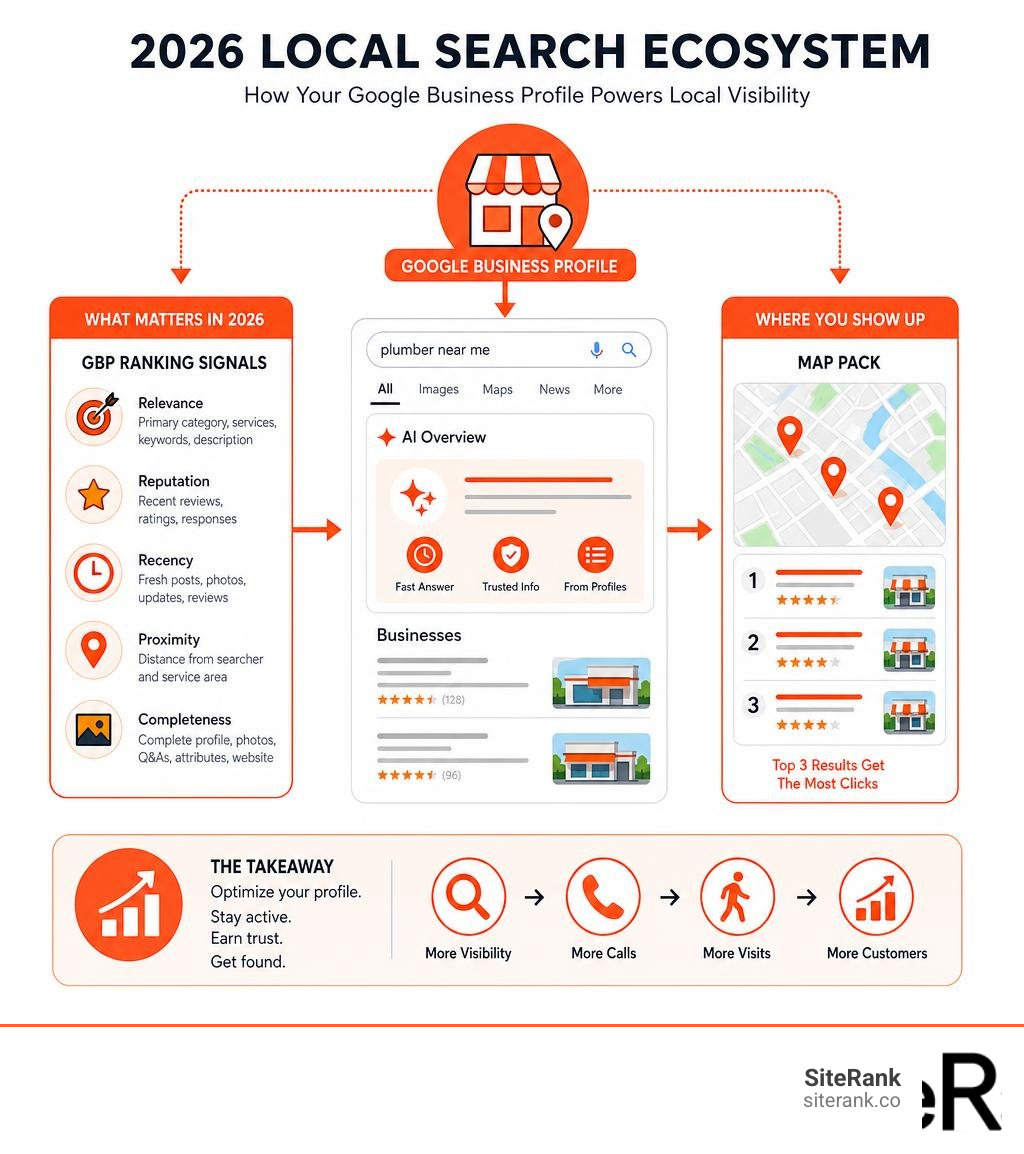
Optimize google business profile terms made easy:
What is a Google Business Profile and Why It Matters in 2026
At its core, a Google Business Profile (GBP) is a free digital storefront that controls how your physical or service-area business appears on Google Maps, local search results, and Google’s conversational AI interfaces. In 2026, we must look at our GBP not merely as a business listing, but as an interactive transactional hub.
When a customer searches for a service nearby, they are met with the “Map Pack” (or Local Pack) — the coveted block of three business listings featured at the absolute top of the search engine results page (SERP). Because over 60% to 70% of all local search clicks go directly to this Map Pack, having an unoptimized profile means you are actively feeding leads to your competitors.
Furthermore, we are seeing that local searchers have incredibly high transactional intent. According to industry data, 88% of searchers who perform a local query on their mobile phone visit or call a related business within a single week. To capture this traffic, you need more than just a presence; you need a fully optimized profile that builds instant trust. For businesses looking to scale their local presence, leveraging dedicated Local Business SEO Services is the most reliable way to turn those high-intent searches into paying customers.
The Shift to AI Search and Semantic Indexing
The local search landscape underwent a massive transformation heading into 2026. Google’s algorithm has shifted from simple keyword matching to advanced semantic indexing. This means Google no longer just looks for exact-match keywords in your profile; it parses the relational meaning behind your services, reviews, and website content to understand user intent.
In 2026, Google’s AI Overviews and Gemini rely heavily on your GBP as a primary structured data feed. When a user asks an AI search engine, “Where can I find a family-friendly Italian restaurant that has wheelchair access and serves gluten-free pasta near me?”, the AI doesn’t just crawl websites. It extracts structured attributes, review text, and services directly from local Google Business Profiles.
If your profile lacks structured service details or descriptive reviews, you are automatically excluded from these AI-generated answers. To stay ahead of these algorithmic shifts, we must adapt our optimization tactics to feed these AI models the precise, structured data they crave. You can read more about these shifts in this detailed guide on How to Optimize Your Google Business Profile in 2026.
How to Claim, Verify, and Set Up Your Profile from Scratch
Before you can reap the rewards of local search visibility, you must establish ownership of your digital storefront. If your business has been around for a while, Google may have automatically generated an unclaimed profile using data scraped from around the web.
To claim an existing profile or create a new one:
- Go to Google Maps and search for your business name.
- If the listing exists, look for the link that says “Own this business?” or “Claim this business” and click it.
- If it does not exist, open the Google Maps menu, select “Add your business,” and follow the prompts to enter your business name and type.
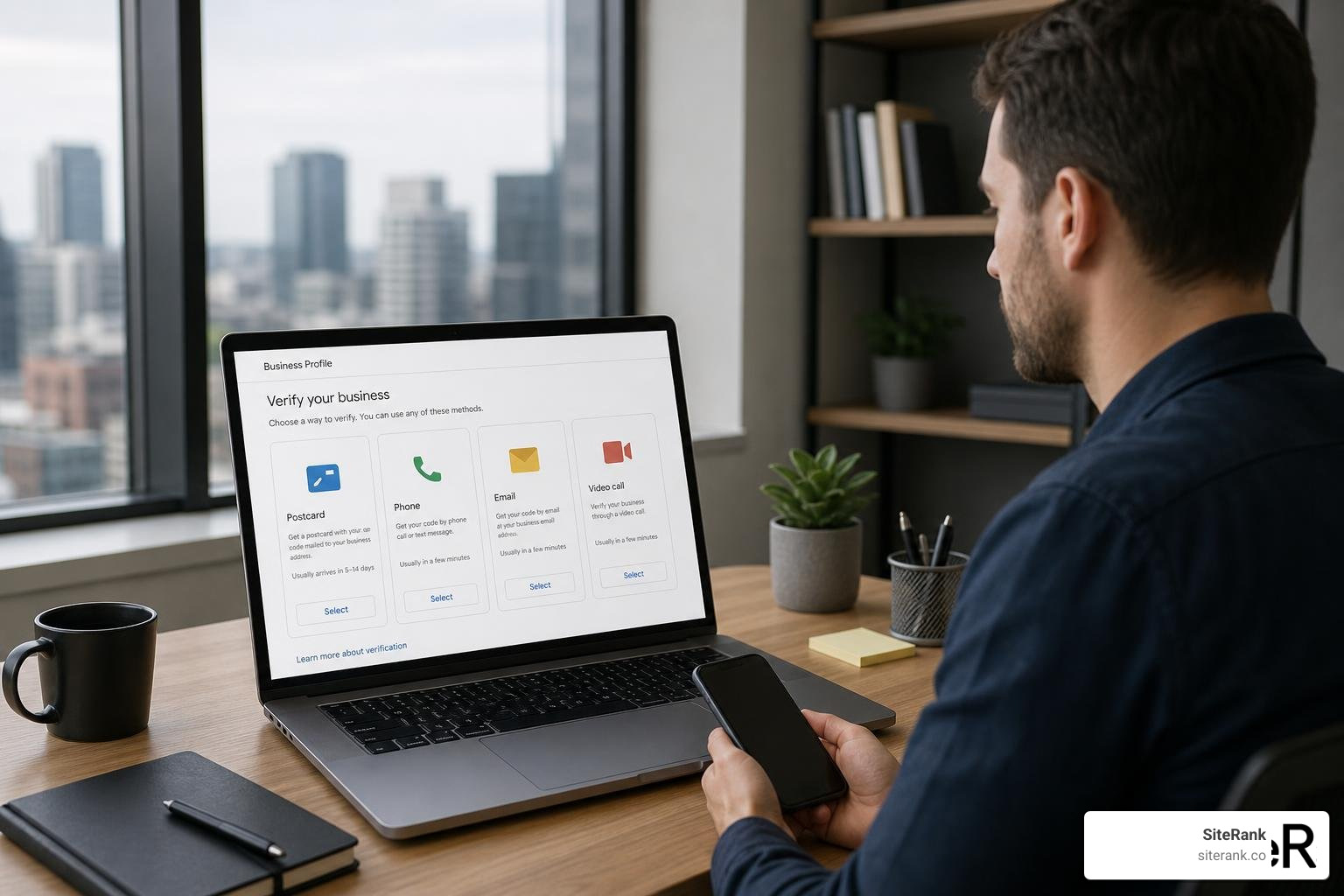
Once you have filled out your basic information, you must undergo Google’s verification process. While Google has historically relied on the “charmingly low-tech” method of mailing a physical postcard to your business address, they have expanded verification methods in 2026. Depending on your business type and location history, you may be asked to verify via phone, text message, email, or a live video call.
For many service-area businesses, Google now requires a recorded video verification. This involves recording a continuous video showing your street sign, your branded work vehicle, your physical tools, and proof of management (such as unlocking your vehicle or logging into your POS system).
Step-by-Step: How to Optimize Google Business Profile Basics
Once verified, it is time to build a rock-solid foundation. The absolute golden rule of local SEO is maintaining perfect NAP (Name, Address, Phone Number) consistency. The information on your GBP must perfectly match the details displayed on your website and across other digital directories. Even minor discrepancies — like writing “Street” on your website and “St.” on your GBP — can confuse search crawlers and dilute your ranking authority.
When setting up your basic information, follow these step-by-step guidelines:
- Business Name: Use your exact, legal business name as it appears on your physical signage. Do not stuff keywords or city names into your title (e.g., writing “Chicago Plumbing Pros – Emergency Drain Cleaning” if your actual business name is just “Chicago Plumbing Pros”). This is a direct violation of Google’s guidelines and is one of the fastest ways to get your profile suspended.
- Business Description: You are allowed up to 750 characters for your business description. However, only the first 250 characters appear before the user has to click “More.” Make those first 250 characters count! Write in a natural, human-sounding tone. Introduce your primary service, mention your service area, highlight your unique selling proposition, and include a soft call-to-action. Avoid sales pitches, pricing details, or promotional links in this section.
- Operating Hours: Keep your standard hours completely accurate. If you have special holiday hours, update them ahead of time. There is nothing that destroys customer trust faster than someone driving to your shop on a holiday only to find your doors locked because your GBP hours were outdated.
For tradesmen and service professionals, establishing this foundation is critical to ranking in highly competitive local markets. To see how to align your profile with a broader local strategy, check out The Local SEO Blueprint for Tradesmen to Rank Number One.
How to Optimize Google Business Profile Listings for Maximum Reach
To successfully optimize your Google Business Profile for maximum local reach, we must understand the three core pillars of Google’s local ranking algorithm:
While you cannot control distance (a user is where they are), you have complete control over relevance and prominence.
The single most powerful lever for establishing relevance is your Primary Category. This setting tells Google exactly what your business is, rather than what it sells. If you run an Italian eatery, choosing “Italian Restaurant” as your primary category is infinitely more powerful than choosing “Restaurant.”
| Profile Element | Ranking Influence | Best Practice |
|---|---|---|
| Primary Category | Extremely High | Select the most specific category that matches your core business. |
| Secondary Categories | High | Add up to 9 highly relevant categories; do not over-dilute. |
| Business Attributes | Medium | Check off all factual attributes (e.g., wheelchair accessible). |
| Service Descriptions | Medium (High for AI) | Write detailed, 2-3 sentence semantic descriptions for each service. |
If you want to dive deeper into how Google calculates these three pillars to rank businesses in the Map Pack, consult the official Google Help documentation on Tips to improve your local ranking on Google – Google Business Profile Help.
Selecting Categories and Attributes to Maximize Relevance
Choosing the wrong categories can lead to “category dilution,” where Google becomes confused about your core offering and lowers your overall local rankings. You are allowed one primary category and up to nine secondary categories.
The rule of thumb here is quality over quantity. Only select secondary categories that you actively provide. For instance, if you are a dental practice, your primary category should be “Dentist.” Your secondary categories might include “Cosmetic Dentist” or “Orthodontist.” Do not add “Medical Clinic” if you do not operate as one, as this dilutes your dental relevance signals.
Once your categories are locked in, leverage Business Attributes. These are factual descriptors that help your listing appear in filtered searches. Attributes cover accessibility (e.g., “Wheelchair-accessible entrance”), amenities (e.g., “Free Wi-Fi”), and ownership badges (e.g., “Women-owned”).
If you operate as a service-area business (SAB) from home or a private office, you must hide your physical address and define your service area by cities, zip codes, or counties. Google allows you to list up to 20 service areas, but we advise keeping them within a realistic two-hour driving radius of your base. Listing unrealistic coverage areas flags your account for manual review and hurts your local prominence. To learn how proximity and service areas interact in the Map Pack, read our guide on Map Pack SEO: The Proximity Cheat Code for Local Businesses.
Writing Descriptions, Adding Photos, and Aligning Your Website
We have found that top-ranking Google Business Profiles tend to have around 70 words in their business descriptions, striking the perfect balance between informative and concise. Naturally integrate localized keywords (e.g., “family-owned bakery in Austin”) without stuffing.
Next, let’s talk about photos. We cannot overstate this: visuals drive conversions. Listings with 100+ photos receive 520% more phone calls and 2,717% more direction requests than listings with no photos. Avoid generic stock photography at all costs. Google’s cloud vision AI easily detects stock images, and users find them unauthentic. Instead, upload high-resolution, real photos of:
- Your storefront (both interior and exterior)
- Your team in uniform
- Your branded vehicles
- Completed projects or physical products
Finally, your GBP does not exist in a vacuum; it is deeply tied to your website’s organic authority. Google constantly cross-references your profile data with your website to verify details. To maximize this connection, you should add LocalBusiness JSON-LD schema markup to your homepage. This structured code acts as a direct translator for search engines, ensuring your website’s NAP, categories, and operating hours perfectly align with your GBP.
Building high-quality, local backlinks to your website also signals to Google that your business is a prominent authority in your market. For a step-by-step strategy on building these signals, check out our Local SEO Backlinks Guide 2025.
The Review and Posting Strategy That Compounds Over Time
Many marketers treat GBP optimization as a one-time project. In 2026, that mindset is a recipe for invisibility. Google’s local algorithm heavily prioritizes active, ongoing profile maintenance. If you go more than 30 days without uploading a new photo or publishing a Google Post, your profile will suffer a measurable drop in impressions.
Think of your profile as a living, breathing asset. By maintaining a consistent schedule of updates, you signal to Google that your business is active, reliable, and open for business.
Using Photos and Posts to Optimize Google Business Profile Activity
To successfully maintain this activity signal, we recommend establishing a weekly cadence for Google Posts. Google Posts are essentially micro-blogs that appear directly on your search panel. Because users viewing your profile already have high commercial intent, your posts should not read like general social media updates. Instead, treat them as transactional conversion assets.
Use Google Posts to highlight:
- Offers: Share seasonal discounts or promotional codes with a clear “Get Offer” button.
- What’s New: Introduce new team members, highlight new equipment, or announce a new service.
- Events: Promote upcoming workshops, community events, or holiday hours.
Always include a strong call-to-action (CTA) button, such as “Book Now,” “Call Now,” or “Order Online.”
Additionally, upload at least two to three new photos every week to maintain “photo freshness.” Before uploading, make sure your photos are high-quality and, if possible, geotagged with GPS coordinates matching your service area. This reinforces your geographic relevance to Google’s crawlers. For service businesses like landscapers, showing off fresh, local work weekly is the ultimate way to stand out. See how to execute this flawlessly in our guide, Google Maps SEO for Landscapers: From Hidden Gem to Local Legend.
Building an Automated Review Acquisition System
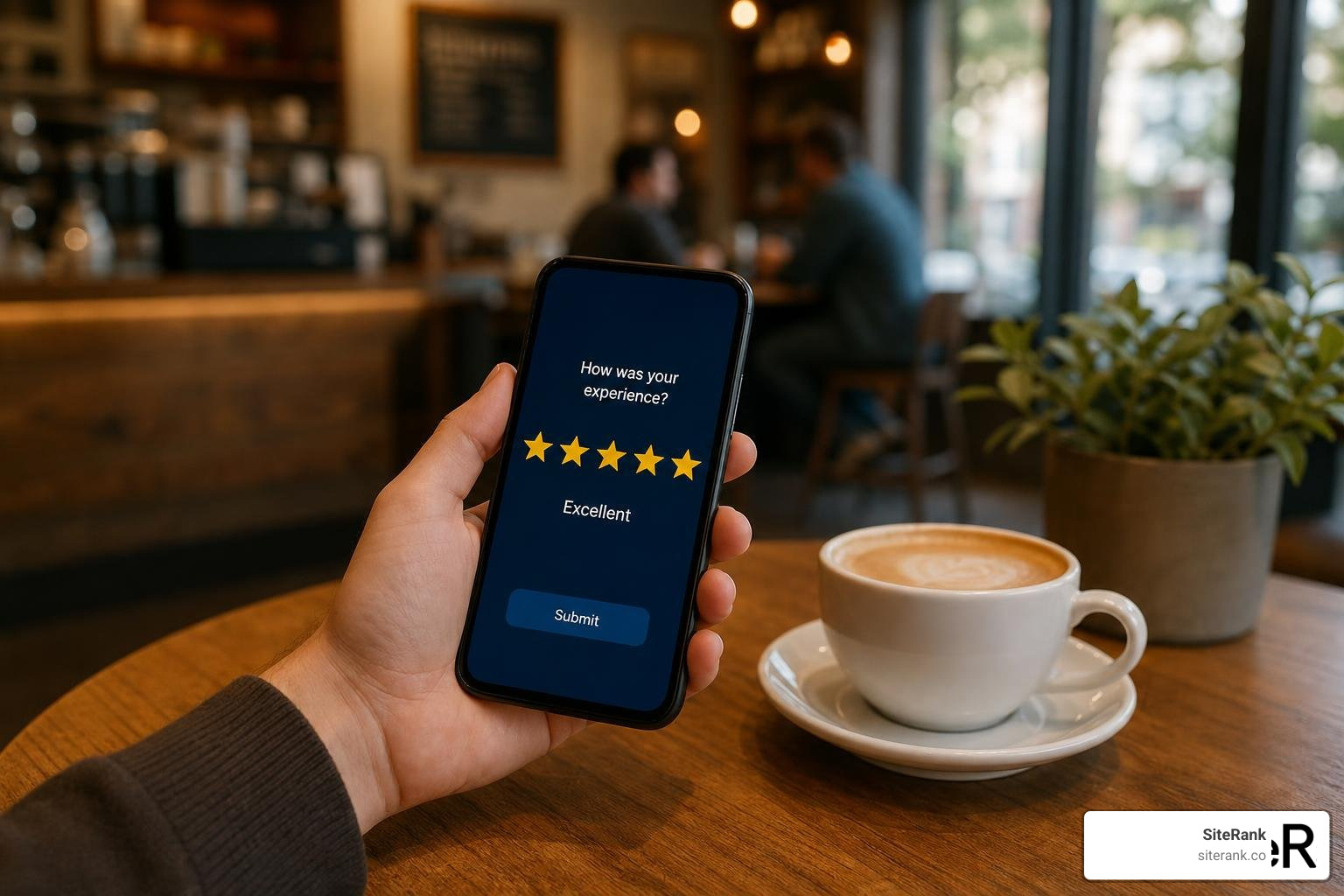
Reviews are the lifeblood of local SEO. In fact, 83% of consumers read Google reviews before making a purchase decision. But in 2026, simply having a high volume of reviews is no longer enough. Google has heavily reweighted review recency and velocity (the rate at which you acquire reviews). A business with 80 highly recent reviews will now consistently outrank a competitor with 200 stale reviews from two years ago.
To keep a steady flow of fresh reviews, you must build an automated acquisition system:
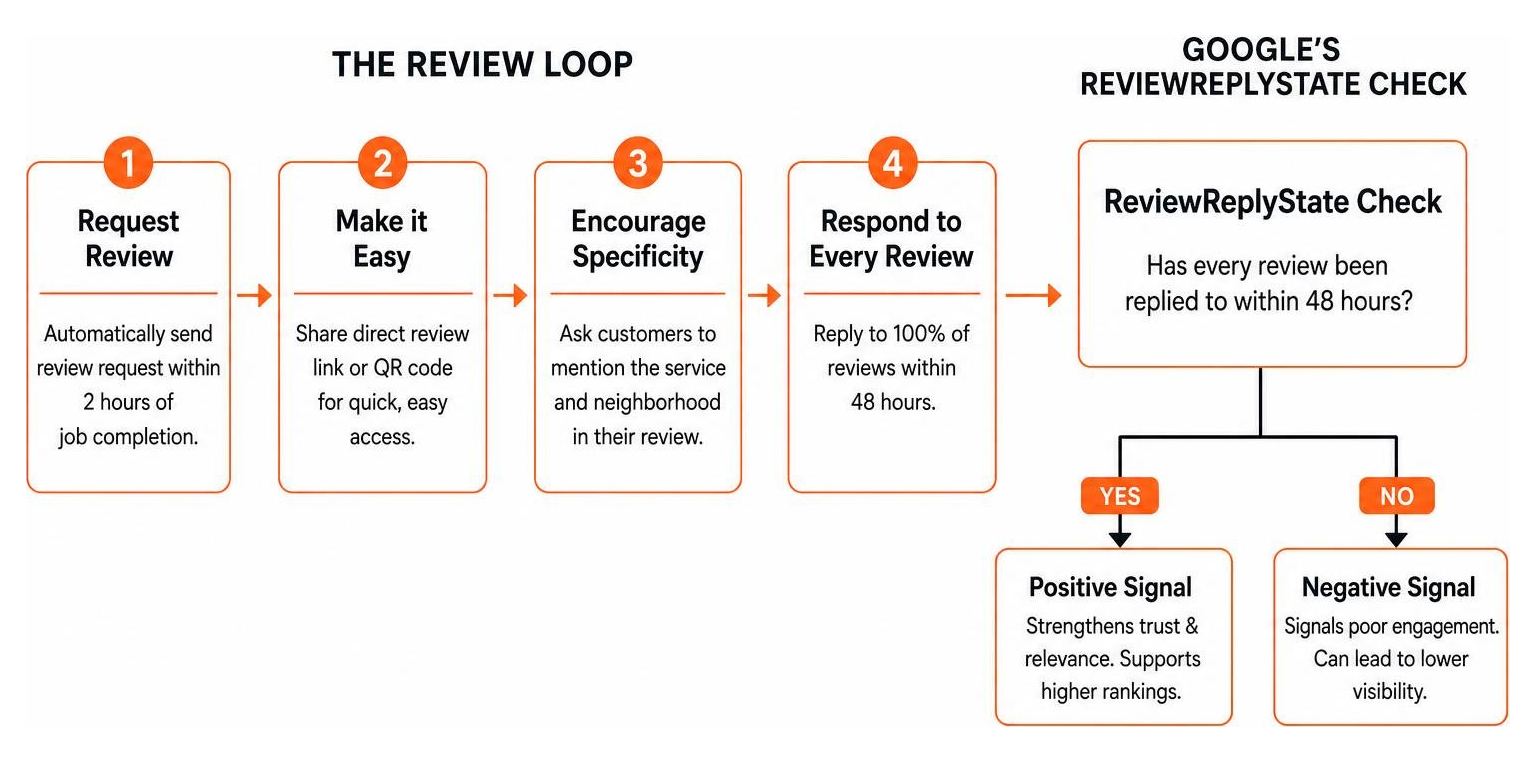
- Integrate Review Requests: Use your CRM, booking software, or invoicing system to automatically send a text or email review request within two hours of completing a job.
- Make it Easy: Generate a direct review link from your GBP dashboard and turn it into a QR code for physical receipts or in-store signage.
- Encourage Specificity: Ask customers to mention the specific service they received and the neighborhood they live in. When reviews contain phrases like “best emergency furnace repair in North Seattle,” Google semantically associates your profile with those highly valuable keywords.
- Respond to Every Review: Reply to 100% of your reviews within 48 hours.
Be careful with your replies, though. In early 2026, Google introduced the ReviewReplyState moderation system. This AI-powered filter silently holds or deletes review replies that rely on obvious AI templates or are stuffed with promotional keywords. Write your responses like a normal, professional human.
If you receive a negative review, do not get defensive. Apologize sincerely, keep your response short, and offer to resolve the issue offline by providing a direct email or phone number. Future customers are reading your response to see how you handle conflict. To support your overall prominence, you should also ensure your business is listed consistently across all other major directories. Learn more about our Local Citation Building Services to solidify your off-profile authority.
Common Pitfalls and How to Measure Your Success
Even seasoned marketers make critical mistakes that can quietly damage their local rankings or, worse, lead to a full profile suspension.
Here are the most common pitfalls we see:
- Keyword Stuffing the Business Name: Adding descriptive keywords to your business name might give you a temporary ranking boost, but it is a direct violation of Google’s terms. Competitors will flag your listing, and Google’s automated systems will eventually hand you a hard suspension, erasing all your hard work.
- Using Stock Photos: As mentioned, stock photos dilute trust and are ignored by Google’s visual search algorithms.
- Ignoring the Q&A Section: Anyone can ask and answer questions on your profile. If you do not monitor this section, competitors or disgruntled users can post incorrect information. Proactively seed your own Q&A section by posting and answering your own frequently asked questions.
- Creating Duplicate Listings: Having duplicate profiles for the same location causes you to compete with yourself and confuses search engines. If you find a duplicate, merge them immediately through Google Support.
To know if your optimization efforts are actually working, do not just track keyword rankings. Instead, monitor practical, transactional outcomes using your Google Business Profile Performance dashboard.
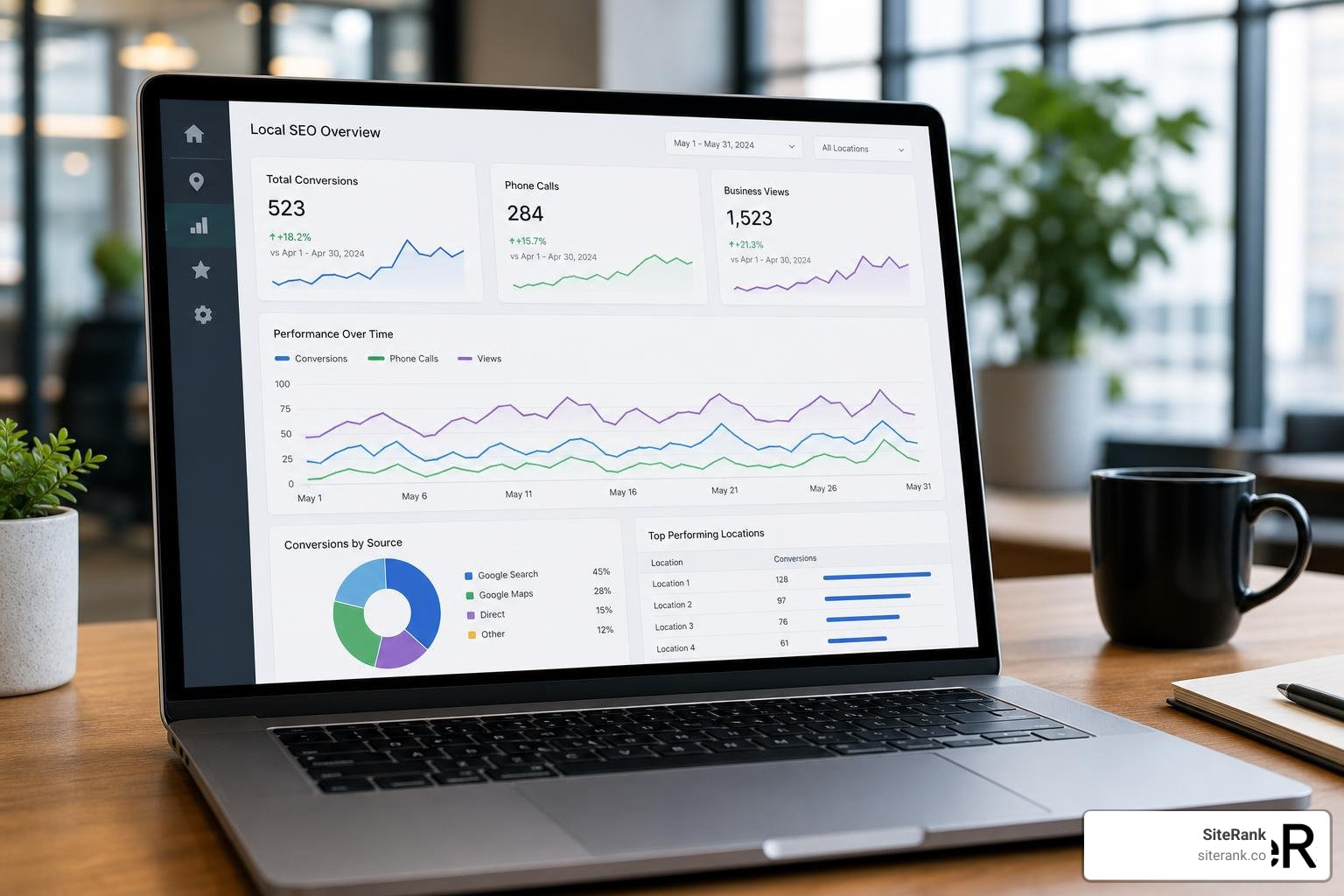
Focus on tracking:
- Discovery Searches: The number of users who found your profile by searching for a category or service rather than your brand name.
- Phone Calls: Direct calls placed from your profile.
- Direction Requests: High-intent clicks from users planning to visit your physical storefront.
- Website Clicks: Clicks from your GBP to your landing pages.
Frequently Asked Questions about GBP Optimization
Can I run a Google Business Profile without a physical address?
Yes. If you operate as a service-area business (such as a plumber, mobile dog groomer, or locksmith) and serve customers at their locations, you can run a profile without displaying a physical address. During setup, simply enter your business address for verification purposes, but select “No” when asked if you have a location customers can visit. You can then define your geographic service boundaries by listing specific cities, counties, or zip codes.
How long does it take to see results from optimizing my profile?
While some minor updates can reflect in search results within 24 to 48 hours, a comprehensive optimization strategy typically takes 30 to 60 days to show measurable ranking improvements. The compounding effects of consistent review acquisition, weekly photo uploads, and website alignment generally peak around the 90 to 120-day mark.
What is the biggest mistake businesses make with their GBP in 2026?
The single biggest mistake is adopting a “set-and-forget” mentality. Because Google’s 2026 algorithm actively penalizes profile inactivity, treating your GBP as a static listing will cause your local visibility to decay. Failing to upload fresh photos, ignoring reviews, and letting your operating hours fall out of date signals to Google that your business may no longer be active, causing your rankings to plummet.
Conclusion
To optimize your Google Business Profile is not a one-time chore; it is an ongoing, high-yield digital strategy. In 2026’s hyper-local, AI-driven search market, consistency always beats complexity. By nailing your core business information, choosing precise categories, maintaining a fresh photo cadence, and building an automated review system, you turn your profile into a powerful, passive lead-generation machine.
At SiteRank, we specialize in cutting through the noise to deliver tailored, AI-powered SEO strategies that drive real, measurable growth. We focus entirely on the deliverables that actually move the needle — helping you capture more clicks, more calls, and more revenue without the unnecessary bloat.
Ready to dominate your local market and secure your spot at the top of the Map Pack? Optimize your local presence with Home Services SEO and let us build a tailored local strategy that turns searches into sales.